AI City Generator for Tabletop RPG Campaigns
Generate fantasy cities, factions, districts, and NPC networks using AI tools. Learn how Game Masters can build immersive campaign settings.
What is AI City Generator for Tabletop RPG Campaigns?
Generate fantasy cities, factions, districts, and NPC networks using AI tools. Learn how Game Masters can build immersive campaign settings. Tabletop Arc is the AI memory layer for tabletop campaigns: every fact links to the transcript that proves it, with evidence-grounded continuity across sessions.
Introduction
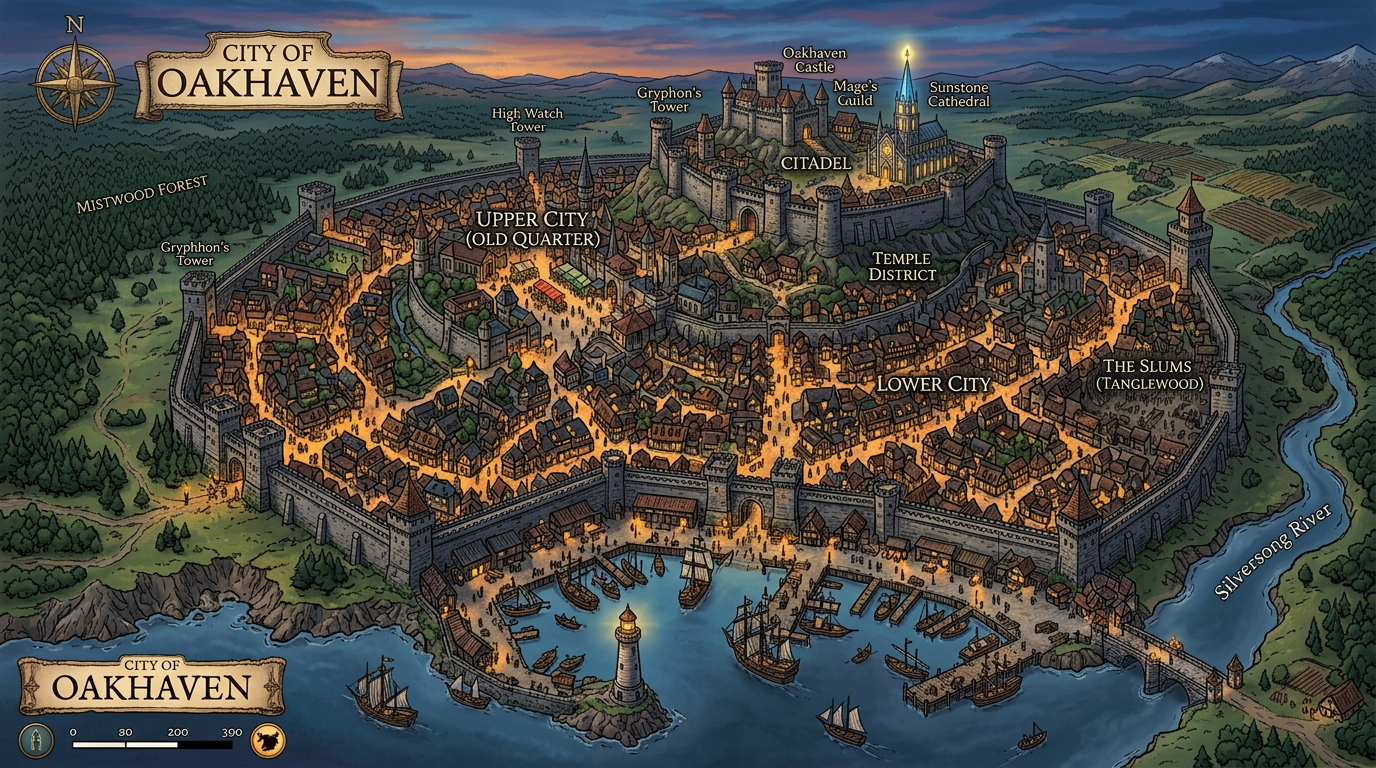
Cities are difficult to design. They need districts, power structures, factions, economies, and enough NPCs and locations to feel alive — without you pre-building every street. AI city and town generators produce structured settlements: name, population, government, economy, landmarks, notable NPCs, and secrets. You get a working draft you can drop into your campaign and refine. This guide covers the core components of fantasy cities, how AI worldbuilding tools help, an example AI-generated city, tracking locations and NPCs with Tabletop Arc, and building cities that evolve with your campaign.
Core Components of Fantasy Cities
A usable fantasy city has identity (name, culture, vibe), power (who runs it — council, monarch, guild), economy (what’s traded, what’s scarce), districts (distinct areas with different functions), and conflict (factions, tensions, secrets). You don’t need a street-by-street map; you need enough structure that when the party asks "who controls the docks?" or "where do we find a blacksmith?" you have an answer. AI generators give you that baseline so you can improvise within a coherent frame.
AI Worldbuilding Tools
AI worldbuilding tools can generate cities, towns, and regions. The Tabletop Arc Town Generator produces name, population, government, economy, landmarks, notable NPCs, and secrets — and you can scale the "size" from hamlet to city. The output is structured so you can scan it quickly and add it to your Lore Wall. For deeper worldbuilding, see our guide to AI worldbuilding tools; for campaign structure, check campaign management tools.
Example AI Generated City
Here’s the kind of output you get from a town or city generator (tuned for a larger settlement):
- Name — "Vesper’s Rest"
- Population — ~5,000; mix of humans, dwarves, and a growing halfling quarter.
- Government — Merchant council; the harbormaster holds the real power.
- Economy — Fishing, shipbuilding, and trade in timber and ore from the hills.
- Landmarks — The old lighthouse (now a shrine), the council hall, the Salt Market, the Shipwright’s Row.
- Notable NPCs — Harbormaster Vex, the blind cartographer, the "retired" smuggler who runs a tavern.
- Secrets — The council is secretly backing a privateer fleet; the lighthouse keeper knows where a wreck is buried.
You’d add this to your map and your Lore Wall so the city grows with play.
Tracking Locations and NPCs with Tabletop Arc
Once a city exists in your world, every session might add NPCs, locations, and events. Tabletop Arc’s Lore Wall is your campaign wiki: you can create entries for the city, its districts, and the NPCs the party meets. When you run sessions, the pipeline transcribes audio and suggests entities from the transcript; you approve them into the same wiki. So the city you generated and the city that emerges at the table stay in one place. Manage your campaign and browse tools to keep locations and NPCs consistent.
Building Evolving Campaign Cities
Cities should evolve. Factions rise and fall; the party’s actions have consequences. When you track the city (and its NPCs and quests) in Tabletop Arc, you have a single source of truth. New sessions add new facts; recaps and continuity reports keep everyone aligned. You’re not rebuilding the city each time — you’re updating it. Start building your campaign world and use the Town Generator for your next settlement.
Try it yourself — generate a free NPC right now
No sign-up required. Generate NPCs, quests, locations, and more.
Frequently Asked Questions
What does an AI city generator do?
Can I use AI cities for D&D, Pathfinder, or homebrew?
How do I keep a generated city consistent across sessions?
Can players see the generated city?
Is the AI city generator free to use?
Related Tools
Related Articles
AI Worldbuilding Tools for Tabletop RPG Campaigns
Use AI worldbuilding tools to create cities, cultures, factions, and history for your TTRPG campaign. Compare Tabletop Arc, World Anvil, ChatGPT, and more — and see how generators and lore systems fit in.
AI Tools for Dungeon Masters: Generate NPCs, Quests, Dungeons and More
TabletopArc is an AI-powered toolkit for Dungeon Masters that helps generate NPCs, quests, towns, dungeons, encounters, names, taverns, and magic items for tabletop RPG campaigns — so you spend more time playing and less time prepping.
Best Campaign Management Tools for D&D and TTRPGs in 2026
The best campaign management tools for D&D and TTRPGs in 2026, ranked. Tabletop Arc, Notion, Obsidian, World Anvil, MyArchivist, and Google Docs compared on session transcription, canon ledger, NPC tracking, and free tiers.
AI Quest Generator for Dungeon Masters
Use AI to generate side quests, plot hooks, and story arcs for tabletop RPG campaigns. Learn how Game Masters can build deeper adventures faster.
Example Outputs
Keep going
Programmatic examples
Pillar guides
Campaign continuity
- Pillar guide
AI campaign continuity
How AI keeps a multi-month TTRPG campaign coherent: structured canon, evidence-grounded recaps, and a living wiki.
- Positioning
The AI memory layer for tabletop campaigns
What "memory layer" means for TTRPGs and why it beats one-off generators for long campaigns.
- Continuity
Persistent campaign memory
Build a canon ledger that compounds session-over-session and never loses an NPC again.